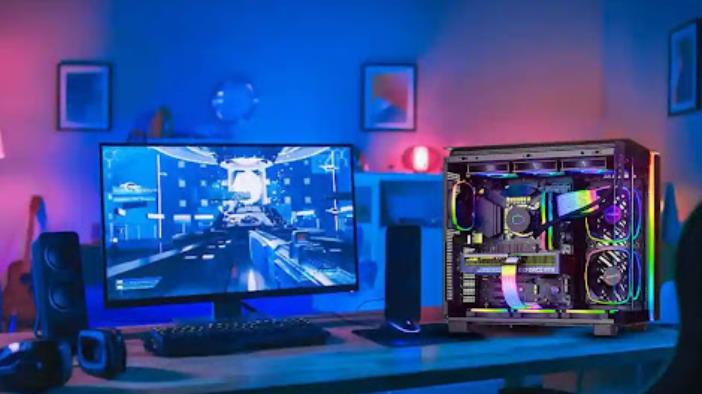
Every gamer has been there. You buy a new game, fire it up, and instead of the smooth experience you expected, you’re met with stuttering frames, lag spikes, and ping numbers that make competitive play feel impossible. The instinct is to blame the hardware, to assume you need a better GPU, more RAM, or a faster processor. But in most cases, the real problem isn’t what’s inside your PC. It’s how poorly that hardware is being used.
Background processes silently consume CPU and RAM your game needs. Outdated drivers prevent your GPU from running at full capacity. Poor network routing sends your game data on unnecessary detours, inflating your ping. These are software problems, and software problems have software solutions.
The Hidden Cost of Background Processes
Open Task Manager during a gaming session and the picture becomes clear quickly. Browser tabs, update services, cloud sync tools, communication apps, all of them are running quietly, consuming memory and processor cycles that your game is competing for. On a mid-range system, this competition has a real, measurable impact on frame rates and stability.
Closing these manually before every session works, but it’s tedious and easy to forget. The smarter approach is a tool that handles it automatically, detecting which processes are consuming resources unnecessarily and suspending them the moment you launch a game, then restoring them when you’re done.
What a Dedicated Game Booster Actually Does
A Game Booster is not a magic performance multiplier. What it does is more practical: it optimizes how your existing hardware is allocated. By freeing up RAM, suspending background processes, keeping drivers current, and clearing junk files that slow load times, it ensures your CPU and GPU are working for your game rather than splitting their attention across a dozen other tasks.
The difference this makes depends on your system. On a high-end rig with plenty of headroom, gains are modest. On a mid-range or older PC, which is where most gamers actually are, the impact on frame rates and stability is genuinely noticeable.
Smart Game Booster takes this a step further with a Super Boost mode that safely overclocks your GPU and VRAM to push performance beyond stock settings. The overclocking operates within calibrated safe thresholds, so you get the performance gain without the thermal risk of manual overclocking done incorrectly.
The FPS Problem Most Guides Don’t Talk About
Most articles about improving FPS focus on in-game settings, lowering resolution, reducing shadow quality, and turning off ray tracing. These work, but they come at the cost of visual quality. There’s another category of FPS improvement that doesn’t require any visual compromise: fixing the software-side inefficiencies that are artificially limiting your frame rate.
Outdated GPU drivers are one of the most common causes of underperformance. Hardware manufacturers release driver updates specifically optimized for new game releases, often delivering meaningful FPS gains on day one. Missing these updates means your GPU is not performing at the level it’s capable of not because of its hardware limits, but because of outdated software.
A dedicated FPS Booster addresses this by automatically detecting and installing the latest graphics and audio drivers, alongside clearing junk files and stopping background processes that compete with your game for resources. The result is a cleaner, more efficient system that delivers better frame rates without touching a single in-game setting.
Ping and Lag: A Network Problem, Not a Hardware Problem
High FPS means nothing if your ping is unstable. In competitive games: Valorant, CS2, Call of Duty, Battlefield, a 20ms difference in latency is the difference between a shot registering and a kill being denied. Ping is not purely a function of your internet speed. It’s a function of routing.
When your game data travels from your PC to the game server, it passes through multiple network nodes. The path it takes is determined by your ISP’s routing decisions, which are optimized for general traffic not for low-latency gaming. The result is often a longer route than necessary, with higher ping than your connection would suggest.
Smart Game Booster routes game traffic through a network of 500+ dedicated gaming servers, selecting the shortest, most stable path to the game server in real time. This bypasses ISP throttling, eliminates unnecessary routing hops, and reduces packet loss cutting ping significantly on competitive titles. Users on crowded home networks also benefit from traffic prioritization that ensures game data gets bandwidth priority over other household activity.
Temperature Monitoring: The Performance Factor Nobody Watches
CPUs and GPUs have a built-in protection mechanism: when they get too hot, they reduce their own clock speeds to prevent damage. This is called thermal throttling, and it happens silently, you never get a notification. You just notice that your frame rate drops during extended sessions or in graphically intensive moments.
Monitoring hardware temperatures in real time is the only way to know whether thermal throttling is affecting your performance. Smart Game Booster includes a built-in temperature monitor that displays CPU, GPU, disk, and memory temperatures on screen while you play, without requiring a separate monitoring application. If temperatures are running high, you know to investigate, whether that means cleaning dust from fans, reapplying thermal paste, or adjusting in-game settings to reduce the GPU load.
Playing Games That Aren’t Available in Your Region
Regional restrictions are a genuine frustration for PC gamers. Titles released in certain markets before others, servers locked to specific regions, and matchmaking pools that prevent playing with friends on other continents are all common problems. Smart Game Booster’s global server network addresses this by routing your connection through servers in supported regions, giving you access to foreign lobbies and region-locked titles without the gaming-specific risks that come with using a standard VPN.
Who Benefits Most
Budget and mid-range PC users see the most dramatic improvements, systems that are resource-constrained benefit the most from efficient allocation. Competitive players in ping-sensitive games gain from the network optimization. Gamers on shared or congested home networks benefit from traffic prioritization. And anyone who has been ignoring driver updates is likely leaving performance on the table that a single update would recover.
Conclusion
The gap between the performance your PC is delivering and the performance it’s capable of is usually a software problem. Background processes, outdated drivers, poor network routing, and thermal issues are all fixable without spending anything on new hardware. Smart Game Booster addresses all of them in one tool, optimizing system resources, keeping drivers current, routing game traffic intelligently, and monitoring temperatures in real time.
If your gaming experience isn’t as smooth as your hardware should allow, the fix is probably simpler than you think.