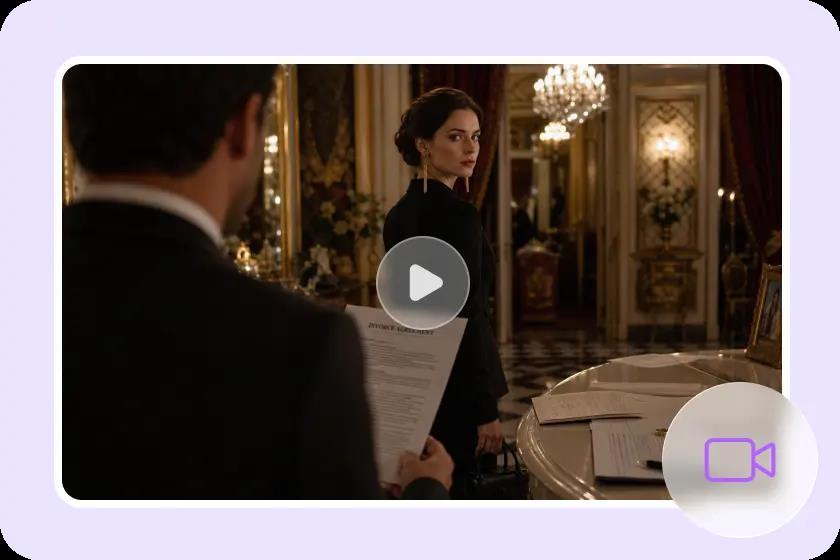
AI film production isn’t just about singular prompts or alluringly created clips. Story structure and character references, locations, and audio planning are all essential to a strong project. These production elements Pippit brings into a centralized visual workspace. This method can be used to structure creative decisions prior to the start of extensive generation. Narrative ideas can be linked to production resources within a single project. Clear organization also helps to minimize inconsistencies between later scenes, episodes, and edits.
Map the Film Before Generating Individual Production Assets
Establish the story foundation and production direction of the film before making assets. Begin by stating the story premises. Explain its main conflict, genre, plot, and feelings. Then break down the idea into sequences, scenes, transitions, and key story beats. This framework provides an AI movie with a more solid creative direction prior to generation. Then, create a visual language using composition, lighting, atmosphere, colour and film style. Include characters, environments, props, dialogue moments, effects, and audio elements that are required. Episodes can also be used to break out long projects into smaller stories that can be handled in a series.

Create a Connected Film Workspace with Roles, Scenes, and Media
A centralized story studio brings key creative elements together rather than distributing them across tools. Pippit offers a canvas with roles, scenes, images, videos, text, and audio. Roles can save visual references for key characters that are reusable. Scene assets can be used to set the scene, background, weather, lighting, camera angles and atmosphere. Then related media can reinforce the same storyline. The ability to work in this connected way makes it easier to identify assets that have gone missing before production gets underway.
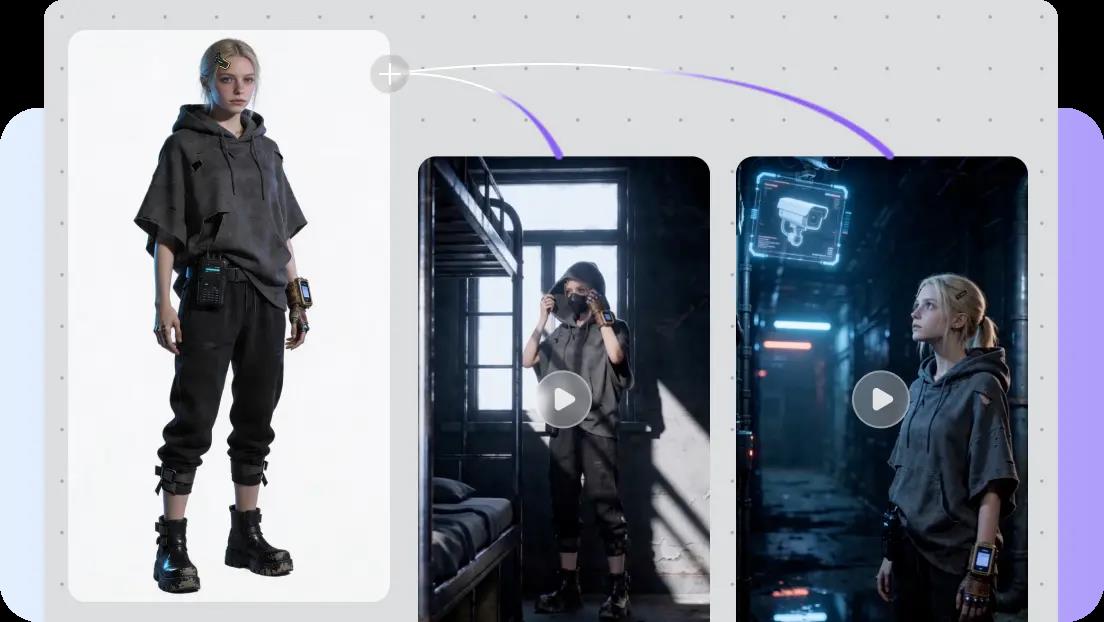
- Make characters that can be used again as Roles.
- Create scene assets for locations, lights, weather, action, and atmosphere.
- Include pictures, videos, text and sound with story elements.
- Check for connected assets to identify missing production requirements in an early stage.
Steps to Plan Your Entire Film Project in Story Studio One Space
Step 1: Set up your film plan
- Sign up for Pippit using your Google, TikTok, or Facebook account details.
- Open the “Story Studio” tab from the left vertical menu on the home page to enter Story Studio.
- Add your film script by selecting “Upload script”. You can also write or paste it by choosing “Paste script”.
- Use “AI scriptwriter” from the top menu to create a script for your film topic.
- Pick a visual style that fits your story through the “Style library” option at the bottom left of the dialogue box.
- Select “Default ratio” to set a custom aspect ratio for your film. Use the “Episodes” tab to choose how many episodes you want.
- Click “Generate” to let AI create your script and start planning the film.
Step 2: Organize your production assets
- Open the “Canvas” tab to add images, scene videos, and audio. You can also define characters and assign their roles for greater control over the story.
- Write prompts for each section. Add details such as character appearance, setting, lighting, camera angle, visual style, voice tone, story mood, or product context.
- After assigning roles and creating characters and scenes, click “Batch generate” to produce your episodes together.
Step 3: Review and finalize your film
- Review each episode and refine the characters, roles, scenes, audio, and other elements as needed.
- When the episodes look right, select “Select all” and click “Download” to bulk download the generated episodes to your device.
Build Character Continuity Before Moving Into Film Scenes
Character continuity starts with clear references before multiple scenes are generated. Develop Role assets first for important recurring characters. Add the age, clothing, facial details, facial expression, pose, lighting, and the type of camera. These details create a familiar visual identity throughout story assets. When visual consistency is important, reference images may be used to explain appearance further. Separate recurring characters from one-scene supporting roles to keep the project organized. Dialogue, action, and emotional moments are also enhanced by strong character planning. Directional consistency can be useful for comparisons of scenes later. Pippit ad maker can help you make consistent sequences. It has the ability to assist you in developing seamless advertisements.
Design Locations and Scene Progression on the Same Canvas
Each scene can be a different place, setting, or point in the story. Clearly describe background, weather, lighting, camera position, action, atmosphere. Next, link characters with settings that fit the desired moment in the story. This means that places are not visually “eclipsed” by character actions. Sequencing can indicate missing transitions, repetition in sets, or unnecessary visual elements. These components are maintained as visible elements in the same organized project space by Pippit. As a result, you can check the visual progression before you make lots of footage. A narrative sequence will also be easier to manage when it comes to changes. This approach helps to make dialogue, movement, tension, and emotional pacing more transparent.
Test Film Direction Before Committing to Full Production
Pacing, framing, mood and interpretation issues may become apparent in early versions of the video. It is possible to test a direction with short concepts before investing in a big production. Video drafting within Pippit workflows can be faster and cheaper with Seedance 2.0 Mini. Experiment with various scene prompts to see what visual possibilities exist. Seek clarification for character directions if expressions or actions are unclear. Try out camera approaches when framing is not conducive to the story. Analyse and compare moments of a story to make stronger story decisions. Testing can also pick up bad lighting, poor transitions, or inappropriate lighting environments. Multiple drafts create a more solid production direction. This process leads to more conscious later generations and less rework that can be avoided.
Review, Refine, and Organize the Film’s Production-Ready Assets
Check all created assets for being narrative appropriate, visually consistent, and complete. Look for consistency between characters and given reference points in scenes and episodes. Check locations, lighting, camera options, audio direction, and progression of story. Make edits to weak Roles, scenes, audio, and more rather than accepting first generations. Clear and precise prompts can be used to correct vague actions, inconsistent looks, and inappropriate visual moods. Maintain useful versions in case there are stronger alternatives in the revisions. Bulk download can streamline the transfer of finished assets to editing or publishing workflows. Before downloading multiple files together, select the required episodes/assests. While speedier generation doesn’t cancel out generation complications, organization is vital.
Conclusion
A good film project starts with structure, and only then does the final generation start. Centralized planning ensures that story beats are linked to characters, scenes, media, and creative direction. A visual production workspace is provided by Pippit to help organise these components. Roles are used to set character references, and scenes are used to set cinematic conditions and environments. Media assets are then used in the service of the story, but not stripped of their production context. Early testing is used to discover more promising directions prior to extensive generation work. Consistency is enhanced and weak or non-essential assets are eliminated through careful review. A clear blueprint makes AI-assisted film production more deliberate and scalable.