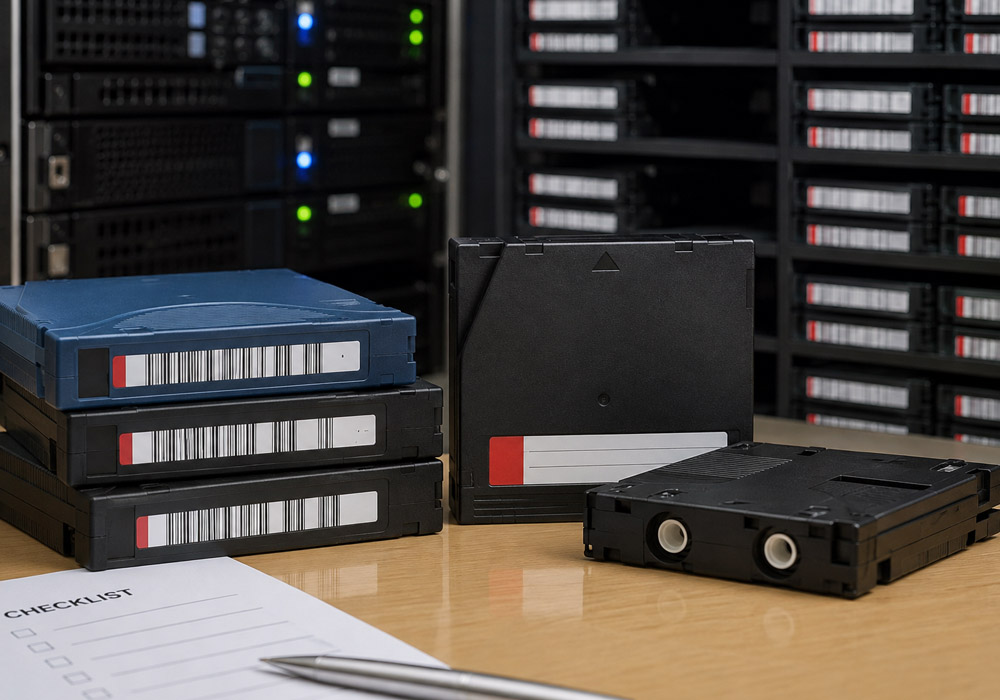
Data tape media means the cartridge, not the drive and not the library. One reel of magnetic tape in a plastic shell. It sells by generation (LTO-6, LTO-9, 3592 JD, and so on) and by condition (sealed, certified pre-owned, used, or simply untested). Those two variables decide what a cartridge is worth and whether it will load in your environment at all.
The generation half got harder in the last year. The LTO Program introduced generation 10 in August 2025. In November 2025, it published specifications for a 40 TB native cartridge in that generation, up to 100 TB at the standard 2.5:1 compression figure, alongside a refreshed roadmap running out to a 913 TB cartridge at generation 14. The capacity headline is not the important part. Generation 10 drives do not read older LTO cartridges. At all.
What follows is a checklist in the order a storage or procurement team tends to work a pallet of tape, whether they are buying it, selling it, or deciding which of the two to do.
The Five Words That Set the Price
Five terms do most of the work in this market. Buyers who are fuzzy on them overpay, or buy media they cannot use.
New or sealed. Factory-sealed, never loaded, still in shrink wrap. The label matters here because a broken seal changes the category.
Certified pre-owned. Media recovered from a previous owner, then erased, tested, relabelled, and warranted by the reseller. The grading is the reseller’s own, so the definition moves supplier to supplier. Ask.
Write pass. One end-to-end pass of the tape past the head. Cartridge life is rated in passes and in load and unload cycles, not in calendar years. A five-year-old tape used twice can beat a one-year-old tape cycled nightly.
Cartridge memory (LTO-CM). A small non-contact chip in the corner of every LTO cartridge, read by the drive before the tape spools. It holds the tape directory and the usage history. It is the closest thing to a service record a cartridge has.
WORM. Write once, read many. Compliance media that cannot be overwritten or erased once written. WORM cartridges are physically distinguishable and are not interchangeable with rewritable stock.
1. Identify the Exact Generation and Media Type
Start with the cartridge, not the box it arrived in. LTO native capacities run 1.5 TB at LTO-5, 2.5 TB at LTO-6, 6 TB at LTO-7, 12 TB at LTO-8, 18 TB at LTO-9, and 40 TB at LTO-10. IBM 3592 runs on its own track. IBM’s published cartridge tables put the JC at 7 TB, the JD at 15 TB, and the JE at 20 TB native, with shorter JK, JL, and JM variants at 1.3 TB, 3 TB, and 5 TB.
Two traps show up constantly in mixed lots. The first is LTO-7 Type M, usually written as M8. It is an LTO-7 cartridge initialized to hold 9 TB, readable and writable only in LTO-8 drives, and useless in the LTO-7 drives it physically resembles. The second is relabelled stock, where a cartridge carries a barcode from a generation it does not belong to. The cartridge memory settles both arguments in seconds.
2. Check the Compatibility Rules for That Specific Generation
LTO compatibility tightened twice, so the rule depends on the generation in front of you. The LTO Program’s roadmap page carries the long-standing version for the first seven generations: a drive writes one generation back and reads two back. From generation 8 onward, drive vendors narrowed that in practice to writing back one and reading back one, which is documented in the drive and library specifications rather than on the roadmap page. Generation 10 supports no backward compatibility at all. The LTO Program attributes that break to the redesigned drive head, which removed the need for media initialization.
For a buyer, the fleet decision and the media decision are now one decision. An LTO-9 drive takes LTO-8 cartridges, so an LTO-9 estate has a real secondary market to shop in. An LTO-10 drive takes LTO-10 and nothing else. Migration therefore means new drives plus a complete media refresh, and the existing LTO-8 and LTO-9 library becomes either an archive you keep an old drive alive to read or a surplus lot you sell.
Worth flagging for anyone budgeting a refresh. The LTO-10 compatibility break is the largest single change to the format’s upgrade economics since it launched. The familiar read two back and write one back shorthand, still repeated across vendor material, no longer describes the current generation.
3. Sort Sealed, Certified Pre-Owned, and Untested Into Three Piles
Three different products. Never quote them as one. Sealed media commands the top of the market. Certified pre-owned sits in the middle and is worth buying when the supplier can say what testing was performed, whether the cartridge was erased and to what standard, and what warranty comes with it. Thirty days is a common floor. Untested media is a lottery ticket priced accordingly. It belongs in a bulk lot, not a production library.
One useful wrinkle for LTO-9 buyers. A new, unused LTO-9 cartridge has to be optimized on its first load before use. By the LTO Program’s own figures that averages around 20 minutes per cartridge, with some running up to two hours. IBM’s documentation puts the average nearer 40 minutes. Multiply across a few hundred cartridges and the library is tied up for days. Already-optimized used LTO-9 media skips the queue, which is a real argument for pre-owned stock that almost nobody makes out loud.
4. Read the Cartridge Memory Rather Than Guessing
The LTO-CM chip is the most underused source of truth in tape buying. A drive or a handheld reader pulls the tape directory and the usage history off it without spooling the tape. Load counts, write history, error events logged by previous drives. That tells you how hard the cartridge has been worked.
Ask any supplier of used media whether they read cartridge memory as part of grading. The answer separates operations that test from operations that look and hope. A lot with no usage data is not automatically a dealbreaker. It should show up in what you pay, and in whether the media goes near a primary backup job.
5. Look at the Physical Cartridge and Where It Has Been
Tape is more forgiving than most media and less forgiving than people assume. What kills a cartridge is mechanical and environmental.
Leader pin seated correctly and not bent. A dislodged leader pin is the most common physical failure in returned media, and it can damage the drive that tries to load it.
Shell integrity, with no cracks around the hub or the write-protect switch.
Evidence of heat, damp, or smoke. Tape stored in an uncooled warehouse or a flooded basement is not media; it is scrap, and a musty smell on opening a case is a reliable warning.
Labels and barcodes. Peeling or double-stacked labels jam robotic pickers in a library, which turns a cheap tape into an expensive outage.
Consistency across the lot. Twenty cartridges from one retired library usually behave alike; twenty cartridges assembled from five sources do not.
6. Settle the Data Question Before Anything Ships
Assume any cartridge leaving a data center holds recoverable data until someone proves otherwise. That proof has to exist in writing before the pallet moves.
The reference document was revised recently. NIST Special Publication 800-88 Revision 2, approved in September 2025, supersedes the 2014 revision that most ITAD policies still cite. It also draws a line that vendor marketing keeps blurring. Degaussing should not be used on non-magnetic media such as flash and solid-state drives. Tape is magnetic, so a correctly applied degauss does destroy the data on it. An SSD in the same crate needs a different method. A provider who offers to degauss both with one process has told you something about their process.
That distinction is where resale value lives. Shredding guarantees destruction and guarantees the cartridge is worth nothing afterwards. Degaussing a rewritable cartridge destroys the data and leaves a reusable asset. Where retention policy permits it, that is the difference between a disposal cost and a credit. WORM media is the exception. It cannot be erased by design, so compliance tapes at the end of retention go to physical destruction and nowhere else.
Insist on documentation at the serial number level for degaussing and shredding alike, not a single certificate covering a pallet. Auditors ask about specific cartridges, not about pallets.
7. Buy the Lot From a Supplier That Works in Both Directions
The last item on the checklist is the counterparty. Tape supply is two-sided. The dealers worth buying from are the ones also buying, because surplus cartridges out of decommissioned data centers are the same cartridges that get graded, erased, and sold back into production elsewhere. A supplier who only sells has to source from someone who does both, and you pay for that layer.
A dealer’s buying list tells you more than its catalogue does. Where does your data tape media come from, and do you buy it back when a library is retired? Big Data Supply answers both halves of that, taking surplus cartridges off decommissioned sites by the pallet and supplying media running the other way, across LTO Ultrium generations and the IBM 3592 family, in new and certified pre-owned condition. A one-way seller cannot answer the second half at all. That is the point of asking it.
Expect tape lots to be quoted, not listed, by whoever you buy from. Generation, condition, quantity, and the state of the secondary market move the number too much for a published price to mean much. A supplier who names a firm figure before seeing the inventory list has not priced it.
Four questions before the purchase order goes out. Where did this lot come from, and what was its previous environment? What testing was performed, and was cartridge memory read? What warranty applies, and what happens to cartridges that fail on first load? Can you supply matched generations at volume, or is this a one-off with no follow-on?
Frequently Asked Questions
Are used LTO tapes worth buying?
For most workloads, yes, provided the media has been erased, tested, and graded by the supplier. Value tracks generation and condition more than age. Certified pre-owned LTO-8 and LTO-9 stock in particular tends to be plentiful because organizations refreshing to generation 10 are retiring entire libraries at once. The cases where used media is a poor choice are compliance archives requiring WORM, and any workload where a single restore failure is unacceptable.
Which LTO drives can read which cartridges?
Through generation 7, an LTO drive reads two generations back and writes one generation back. LTO-8 and LTO-9 drives read and write one generation back only, so an LTO-9 drive handles LTO-9 and LTO-8 media. LTO-10 drives read and write LTO-10 media exclusively. The odd one out is LTO-7 Type M (M8) media, which works only in LTO-8 drives.
Does degaussing make a tape reusable?
Degaussing a rewritable cartridge erases the data and, in most cases, leaves media that can be relabelled and reused, which is why reuse-first providers prefer it to shredding where retention rules allow. It does not work that way for WORM cartridges, which cannot be reset, and it should never be applied to flash or solid-state media, where it accomplishes nothing at all.
One Format, Two Markets
Tape has spent thirty years being written off. It is currently the only storage medium with a published roadmap out to nearly a petabyte per cartridge, so its secondary market is not going anywhere. What changed is that generation 10 broke the compatibility chain. That break splits the installed base in two. An LTO-10 market with no used supply yet, and a deep, well-stocked LTO-8 and LTO-9 market fed by everyone migrating away from it.
If you are buying media this year, the value sits in the second one, and the checklist above is mostly about not overpaying inside it. Read the cartridge memory. Ask what certified means to the person using the word. Get the data question answered in writing before anything ships.