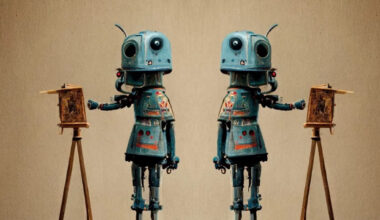
AI design tools help creative teams turn briefs, brand references and campaign ideas into usable visual assets for social media, advertising and presentations faster than traditional manual design cycles. The benefit is not only speed. The real value is giving teams a faster way to explore ideas, review options and keep assets consistent across channels.
For marketers and business teams, design work has become more fragmented. One campaign may need square posts, vertical stories, display ads, pitch deck slides, product visuals and internal launch materials. When every asset is created separately, teams lose time and brand consistency. AI design software can reduce that friction when it is used with clear creative direction and human review.
What AI design tools are
AI design tools are software systems that use artificial intelligence to help create, adapt, edit or prepare visual assets from prompts, templates, brand references and existing files; for example, AI design tools for creative teams can support campaign layouts, social graphics, ad variations, visual concepts and presentation-ready creative while designers and marketers still guide the final direction.
A practical AI design workflow does not remove the need for taste, messaging or brand judgment. It helps teams get from blank page to reviewable asset faster. Instead of waiting for one polished version, teams can compare multiple visual directions, test copy hierarchy and decide which layout deserves more refinement.
Common design jobs they support
Creative AI tools are useful for repeatable design jobs that often slow teams down. These include resizing social posts, creating ad variations, cleaning up product visuals, preparing mood boards, generating layout concepts, adapting campaign graphics for different channels and producing quick visuals for a sales or investor deck.
They are also useful during the early concept stage. A marketer can describe the campaign angle, audience and offer, then review visual options before a designer spends time polishing the final system. A designer can use the same tools to move faster through exploration, while still applying judgment around balance, hierarchy, typography, color and brand fit.
The best use cases are usually high-frequency jobs, not one-time masterpieces. When a team needs ten social directions, five ad crops or a quick visual system for a meeting, AI can remove the blank-page stage. The team can then spend more time choosing the strongest direction and less time rebuilding basic layouts.
Social, ad and presentation use cases
Social content is one of the clearest use cases because it needs volume and variation. A team may need several post concepts for a launch, each adapted for different formats. AI tools for marketers can help generate starting points, test visual directions and produce quick versions for review before the final assets are scheduled.
Advertising creative benefits in a similar way. Paid campaigns often require multiple headlines, visual treatments, aspect ratios and audience-specific versions. AI can help create controlled variations while the team checks whether the message is clear, the product is readable and the asset fits the placement.
Presentations are another practical use case. Teams often need slides that look polished but are built under time pressure. AI design support can help turn rough points into visual slide concepts, improve layout balance and make a campaign story easier to follow. The final review still belongs to the team, but the first draft becomes faster.
This matters because the same campaign message often appears in different environments. A short social asset needs instant clarity. A paid ad needs a strong visual hook and a visible offer. A presentation slide needs structure, flow and enough restraint to support the speaker. AI design tools can help teams adapt the same idea to each format without treating every version as a separate project.
How teams keep assets brand-ready
Speed only helps if the output is usable. Brand-ready assets should follow the company’s color system, typography, tone, image style and approval requirements. Teams should define these rules before generation, then review each asset against the brief rather than accepting the first attractive result.
A brand-ready workflow also needs clear checkpoints. Is the headline readable on mobile? Does the visual match the audience? Are product details accurate? Does the ad crop correctly? Does the presentation slide still make sense without someone explaining it live? These questions keep AI-assisted design practical instead of random.
Teams should also decide what should not change. Some assets may allow flexible backgrounds or layouts, while others must keep a strict logo position, color palette or product treatment. Setting those limits early helps the AI design workflow stay useful. It gives the tool room to generate options without breaking the parts of the brand system that need to remain consistent.
Connected creative workflows
AI design becomes more valuable when it connects with the rest of campaign production. Teams need visual concepts, mockups, image edits, social variations, presentation slides and reusable design templates for campaign assets in one organized process. Keter Labs helps teams create campaign-ready design assets in one workspace, which makes the design layer easier to connect with broader creative production.
This connected approach matters because campaigns rarely move in a straight line. A social visual may become an ad. An ad concept may become a slide. A presentation image may become a launch-page asset. When files, styles and approvals are scattered across separate tools, teams waste time rebuilding the same idea. A shared workflow helps keep the campaign consistent.
FAQ
What are AI design tools?
AI design tools help teams create, edit and adapt visual assets using prompts, templates, brand references or existing files. They are used for social posts, ads, presentations, mockups and campaign visuals.
Can AI design software replace designers?
It can speed up drafting and variation, but it does not replace creative judgment. Designers still guide hierarchy, brand fit, clarity, polish and final approval.
How do AI tools help marketers?
They help marketers create faster first drafts, test campaign visuals, resize assets and prepare options for review without waiting for every minor version to start from scratch.
Are AI-generated designs brand-ready?
They can be, but only after review. Teams should check colors, typography, readability, product accuracy, crop behavior and whether the asset matches the campaign brief.
What is an AI design workflow?
An AI design workflow is the process of using AI to move from brief to visual draft, then through review, refinement, resizing and publishing in a controlled way.
Conclusion
AI design tools are most useful when they help teams move faster without losing brand control. Social posts, ad creative and presentation assets all benefit from quicker drafts, more variation and clearer review. The strongest results come from human-led AI: a clear brief, good creative judgment, consistent brand rules and a workflow that keeps campaign assets connected. Used this way, AI design support becomes less about shortcuts and more about producing better campaign-ready creative with less friction.