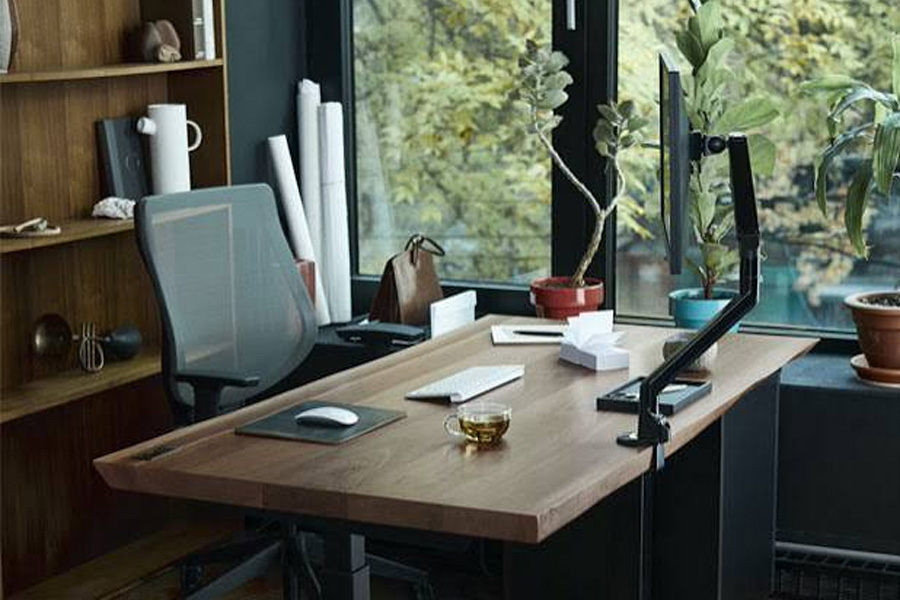
Working from the kitchen table gets old fast. Your back knows it before your brain admits it. More than a third of employed Australians worked from home in August 2024, according to the Bureau of Statistics, and that number is not shrinking anytime soon. The right home office furniture turns a spare corner into an actual workspace, one that holds up through long days and video calls. This is not about matching your lounge room decor. It is about a setup that protects your body and keeps you focused for the whole afternoon, not just the first hour.
How Many Aussies Actually Work From Home?
That home office trend is not a small blip from a few years back. The Australian home office furniture market was worth over nine hundred million dollars in 2025 alone, and it is expected to grow past 1.3 billion within the next decade, at close to five percent growth every single year. Remote work is the main driver behind that growth, alongside a real move toward ergonomic pieces built for long hours at home. People used to grab a dining chair and call it a desk setup. That is changing fast, because backs and necks were the ones paying the price the whole time.
What Makes a Chair Worth Buying?
A dining chair was never built for eight hours of sitting, no matter how nice it looks under a pendant light. Look for a seat with real lumbar support and a height you can adjust without tools. Armrests should let your shoulders drop, not creep up toward your ears by 3pm. If you can, test tilt tension too, since a chair that locks in one spot forces you into the same posture for hours straight. A good home office chair is not a luxury item. It is closer to safety gear for the years you will spend sitting in it, and owners who are renting out your house with a dedicated office space can ask their property managers how to present that setup to prospective tenants.
Should You Sit All Day?
Sitting for eight straight hours is not neutral, even with a great chair under you. Research links long stretches of sitting to a higher risk of weight gain and heart problems over time, separate from how well someone eats. A sit-stand desk does not fix everything on its own, but it breaks up the stretch and gets blood moving again. You do not need to stand all day either, since that brings its own aches into the mix. Aim for short blocks of standing every hour or two, even five minutes counts for something. Small movement adds up across a working week faster than most people expect it to.
Where Should Everything Go?
| Zone | Furniture | Why |
| Desk zone | Height adjustable desk, monitor arm | Cuts neck strain during long calls |
| Storage zone | Small filing unit, lockable drawer | Keeps work papers away from family life |
| Call zone | Chair with headrest, small side table | Comfort during long video meetings |
| Light zone | Desk near natural light, task lamp | Cuts eye strain through darker months |
Quick Checklist Before You Set Up
Run through this before you order a single thing.
- Desk deep enough for a keyboard, mouse, and some breathing room
- Chair with adjustable height and real lumbar support
- Monitor at eye level, using a stand or arm if needed
- Power points within reach, so cords stop trailing across the floor
- A door or divider, if noise from the rest of the house is a problem
Tick these off before the delivery truck even leaves the warehouse, and the whole setup will feel right from the very first morning you sit down to work.