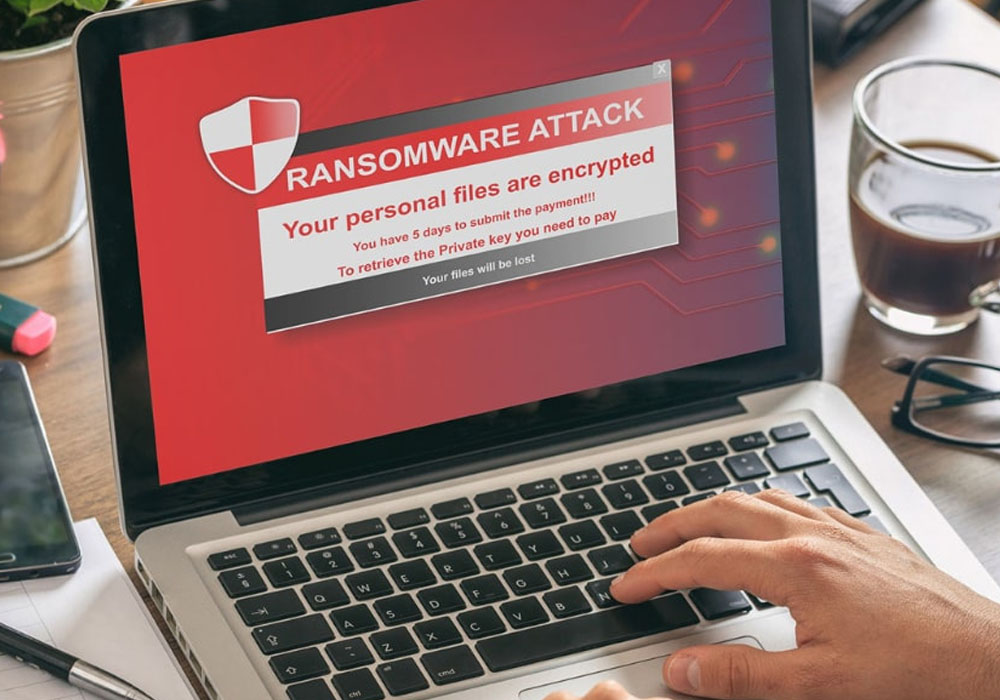
Have you ever wondered how a simple email could put an entire business at risk? Ransomware attacks are becoming more common and can affect companies of all sizes. These attacks can steal, lock, or destroy valuable data. Businesses lose money, trust, and sometimes even their reputation. Cybercriminals often target businesses with weak defenses. But there is good news.
This blog post will guide you through easy and effective ways to keep your business safe from ransomware. By the end, you will learn strategies that work. Keep on reading!
Understand What Ransomware Is
Ransomware is malicious software that blocks access to data or systems. Attackers demand money to unlock your files or restore access.
Often, these criminals use email attachments or unsafe websites to spread ransomware. It can happen to any business, big or small.
Understanding how ransomware works is the first step to prevention. Knowing the signs of an attack is important. Unusual pop-ups or locked files can be warnings.
Learning about ransomware helps you stay alert. Awareness is your best defense against these threats.
Train Employees to Spot Threats
Most ransomware attacks begin with a simple mistake, such as clicking a malicious link. Employees should be able to identify suspicious emails and attachments. Consistent training helps everyone stay alert.
When conducting training sessions, use real-world examples. Simple reminders about not sharing passwords can help. Employees should know how to report unusual behavior.
Include cybersecurity as a core value in your organization. You should reward safe behavior online. With trained employees, your company will be much harder to attack.
Use Strong Password Policies
A strong, secure password is the first line of defense against hackers. Require employees to create passwords that combine letters, numbers, and symbols. Do not reuse old passwords, and change them regularly.
Avoid using easy-to-guess words, such as birthdays or company names. Consider using a password manager for your group. A password manager securely stores complex passwords.
Never write passwords on sticky notes or share them with others. Whenever possible, make two-factor authentication mandatory. Your online accounts will stay secure from attacks if you maintain good password habits.
Keep Software and Systems Updated
Cybercriminals often look for weaknesses in old software. Regular updates fix these weak spots and protect your systems. If possible, set your computers to update automatically.
Do not ignore update reminders from software providers. Always update your antivirus and security programs. Review your network devices, like routers, for updates too.
Updates often include important security patches. Schedule monthly update checks. Keeping software current is a simple but powerful defense.
Backup Data Regularly and Securely
Backing up your data means copying important files and storing them safely. Use both online and offline backups for better protection. Store backup copies in a secure location that is separate from your main network.
Test your backups often to make sure they work. Set up automatic backups so you don’t forget. If an attack happens, backups help you recover quickly.
Do not connect backup devices to infected computers. Keep backup software updated. Secure backups are the key to bouncing back from a ransomware attack.
Limit User Access and Permissions
Not every employee needs access to all company data. Give users only the permissions they need to do their jobs. This limits the damage if an attack occurs.
Set up different access levels for different departments. Regularly review who has access to what information. Remove access for employees who leave the company.
Use strong authentication for sensitive data. Monitor for unusual access attempts.
Limiting permissions stops attackers from spreading ransomware throughout your network. It helps keep sensitive information safer.
Install Reliable Security Software
Good security software can block many threats before they enter your system. Choose a program that protects against viruses, malware, and ransomware. Install security software on all company devices, including laptops and smartphones.
Set the software to update automatically. Run regular scans to check for threats. Use firewalls to block suspicious traffic.
Make sure employees know how to use the software. Consider adding extra layers, like anti-phishing tools. Reliable security tools provide peace of mind for your business.
Create a Ransomware Response Plan
Preparation is key to handling an attack if it happens. Design a plan that tells employees what to do in case of ransomware. Include steps for reporting the attack and isolating affected devices.
Practice the plan with your team regularly. Assign roles and responsibilities for each step. Your plan should also cover contacting law enforcement if needed.
Update your plan as new threats emerge. A Ransomware Response plan is essential for quick action and clear communication.
Having a plan reduces panic and limits damage. A well-prepared team recovers faster from attacks.
Monitor Networks for Unusual Activity
Keeping a close eye on things helps you spot potential issues before they become serious. Use tools that notify you of unusual network behavior. Watch for large data transfers or unfamiliar devices connecting to your network.
Set up notifications for failed login attempts. Regularly review network logs for unusual patterns. Bring in specialists if your team lacks experience monitoring.
Consistent monitoring shows you care about security. Immediately investigate any warnings. Early detection can prevent an attack from spreading further.
Secure Remote Work Connections
Many employees work from home or while on the move. To access resources remotely, use encrypted connections such as Virtual Private Networks (VPNs). Ensure remote logins require robust passwords.
Make sure employees use company-approved devices. If you don’t have additional security, avoid using public Wi-Fi. Instruct your staff to lock their electronic devices when they are not using them.
Always keep your remote-work software up to date. Restrict access to sensitive data from remote locations.
When working remotely, use multi-factor authentication. Even if employees work in different locations, secure connections help keep your company safe.
Be Careful with Emails and Attachments
Most ransomware enters a business through email. Never open attachments from unknown senders. Be cautious with links in emails, even if they look familiar.
Check the sender’sender’saddress carefully for mistakes. Use email filters to block suspicious messages. Train employees to report phishing emails right away.
Do not download files unless you are sure they are safe. Watch out for urgent requests or threats in emails.
Scammers often impersonate bosses or partners. Careful email habits prevent many attacks.
Educate About Social Engineering Tactics
Cybercriminals often use tricks to fool employees into giving up information. This is called social engineering. Teach staff how to spot these tricks.
Do not share personal or company information with strangers. Always verify the identity of anyone asking for sensitive data. Be cautious of urgent or unusual requests.
Remind employees that real companies will not ask for passwords by email. Use real-life scenarios during training.
Encourage employees to ask questions if something feels wrong. Social engineering awareness keeps your business safer.
Test Your Defenses with Simulations
Practice makes perfect when it comes to security. Run simulated attacks to test your defenses. These tests show where your business is strong and where it needs work.
Use simulations to train employees on what to do during an attack. Review the results with your team after each test. Update your security measures based on what you learn.
Simulations make your security plan stronger. They help employees stay calm in real situations. Regular testing builds a culture of safety.
Work with Cybersecurity Experts
Sometimes, outside help is the best option. Cybersecurity experts know the latest threats and solutions. They can review your current security setup and suggest improvements.
Experts can also help train your team. Hire professionals to conduct regular security audits. They can respond quickly if an attack happens.
Consultants help you stay up to date with new risks. Working with experts gives you confidence. Professional advice strengthens your business’s protection.
Stay Informed About New Threats
Cyber threats change quickly. Keep up with the latest news and warnings. Sign up for alerts from trusted cybersecurity organizations.
Share important updates with your team. Attend webinars or workshops about online safety. Update your security policies as new risks appear.
Encourage employees to share what they learn about new threats. Review your defenses regularly.
Being informed helps you prepare for the unexpected. Staying updated is a simple but powerful way to stay safe.
Encourage a Security-First Culture
A strong security culture starts at the top. Leaders should talk openly about the importance of cybersecurity. Include security in every company meeting. Reward employees who follow best practices.
Make it easy for staff to report concerns. Share success stories about stopping threats. Remind everyone that security is a shared responsibility.
Offer regular training and updates. Celebrate improvements in your company. A security-first culture keeps your business safer every day.
Safeguarding Your Business for the Future
Ransomware attacks can happen to any company, but strong defenses can make a big difference. By following these strategies, you can protect your company and maintain a strong reputation.
Keeping software up to date, providing consistent training, and building good habits are all essential. Stay vigilant for emerging threats and work with specialists when needed.
Simple actions can protect your company from suffering significant losses. Make cybersecurity part of your daily routine and a priority.
Did you like this guide? Great! Please browse our website for more!