Not every story needs a plot twist or a cast of characters to hold someone’s attention. Sometimes a single, well-told moment does more than a complicated one ever could. Text to video tools have made it possible to take that kind of simple narrative and turn it into something genuinely watchable, and Dreamina’s Seedance 2.5 is good at finding the emotional weight in a small story instead of needing a big one to work with.
Why a simple narrative is the easiest thing to turn into video
A simple story usually has one clear thing happening, which makes it easier to translate into a prompt than a plot with five moving parts. There’s no need to juggle competing characters or subplots. You’re describing one action, one feeling, one turn, and that focus is exactly what keeps a short clip from feeling scattered or rushed.
Picking the story beat that actually needs telling
Even a simple narrative has a specific moment worth showing, and it’s rarely the whole arc. Look for the beat where something actually shifts. A few kinds tend to hold up well on screen:
- The instant someone decides to do something they’ve been avoiding
- A quiet realization that changes how a character sees things
- The small action right after a decision has already been made
Resist the urge to show the setup and the payoff both. Pick one and trust that it carries enough weight on its own.
What separates an engaging video prompt from a flat one
A flat prompt describes an action without any feeling attached to it. An engaging one names the tension underneath the moment, the hesitation before someone finally acts, the specific expression on their face, the pace of their movement. “She opens the door slowly” tells a model far less than “she opens the door slowly, unsure of what she’ll find on the other side.”
Your three step path from narrative to finished clip
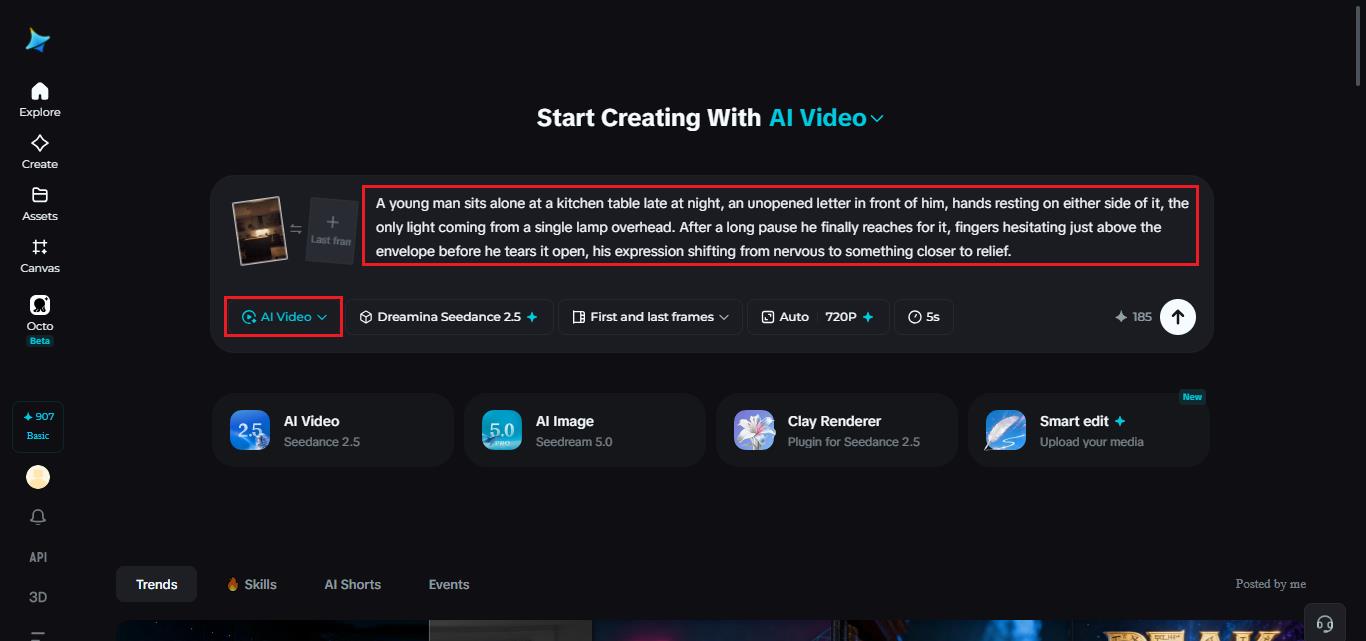
Step 1: Enter your prompt and add a reference if you have one
Open Dreamina and head to the AI Video section. If you have a photo or sketch that matches your scene, upload it through “Add reference image” and build from there. Working purely from text to video, skip that and describe the moment in full instead.
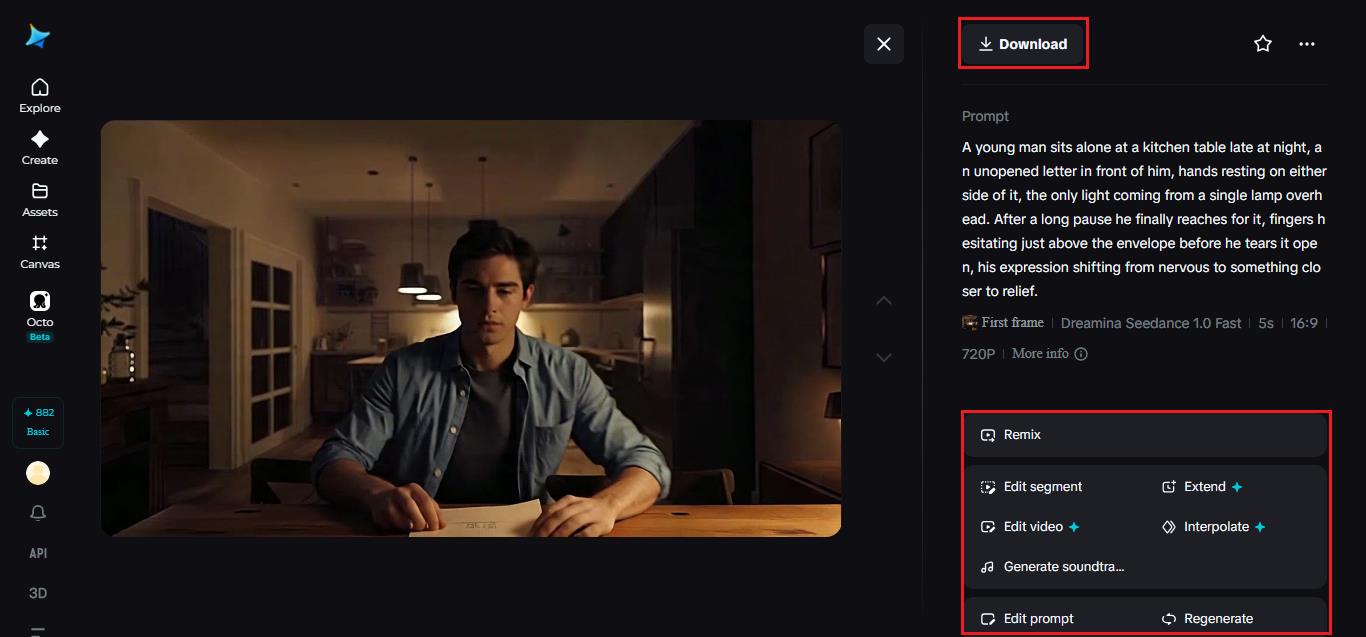
Here’s an idea: A young man sits alone at a kitchen table late at night, an unopened letter in front of him, hands resting on either side of it, the only light coming from a single lamp overhead. After a long pause he finally reaches for it, fingers hesitating just above the envelope before he tears it open, his expression shifting from nervous to something closer to relief.
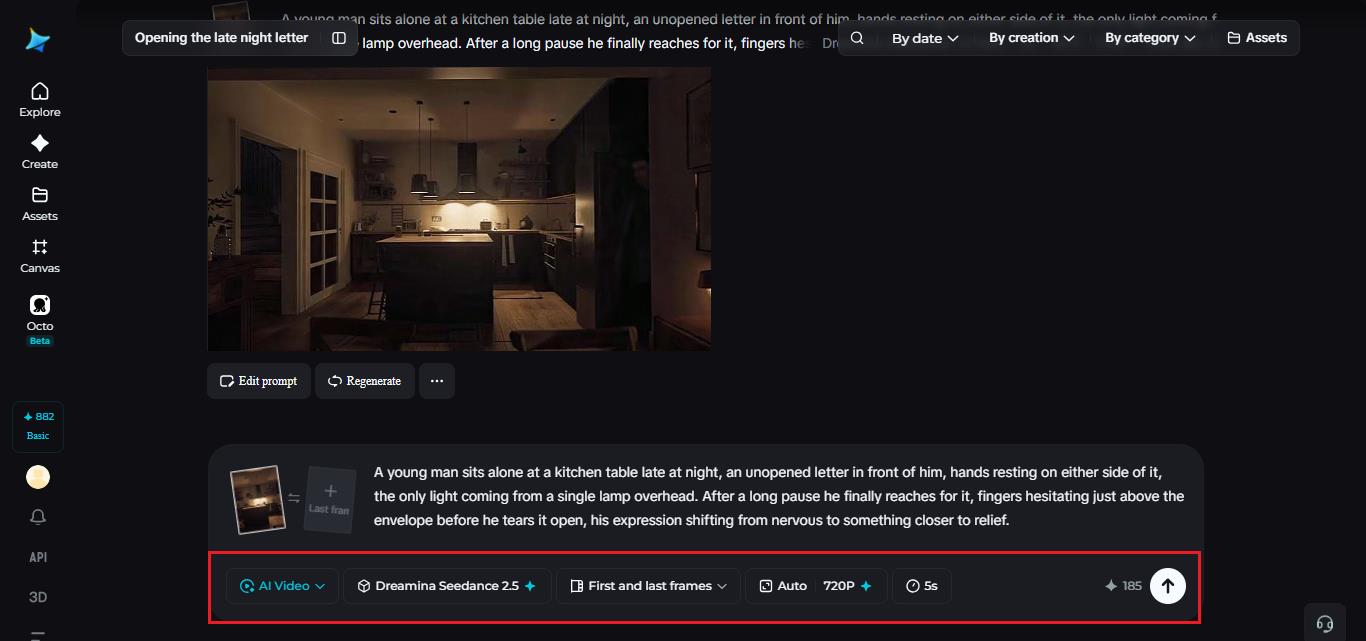
Step 2: Choose Seedance 2.5 and generate
Select Seedance 2.5 once your prompt is ready, since it handles quiet, character-driven moments particularly well. Pick a length that fits the beat you’re telling, then an aspect ratio, 16:9 works well for a wider cinematic feel, 9:16 if it’s headed to social media. Generate and give it a few seconds to render.
Step 3: Refine the pacing and export
Once the clip comes back, watch it once before deciding it’s finished. Up-scale enhances details which appear to be blurred, while Generate sound track provides an opportunity to put a subtle music to your video. Once you’ve found proper timing, export it and post on wherever your audience watches.
Seedance 2.5: The model created to control narrative pace
The value of Seedance 2.5 for short stories lies in the fact that it does not speed up the moment just because it’s a short video. It reads the emotional pacing as if it were a movie director and waits for the pause a bit longer when the moment requires hesitation, or moves faster if there is urgency. The most significant improvement in Seedance 2.5 is the ability to follow creative direction, especially when scenes have more than one part that moves.
Green screen and blockout references
Direct input from live-action footage and white models (blockout) data from computer graphics software such as Maya allows for the exact touch points, angles, and interaction between characters to be specified, something difficult to do just through text descriptions.
Fixing the multi-person problem
The twin problem, in which a single person would create two copies of himself, as well as face swap problems, which were occurring in scenes with more than one person, has been fixed.
Local edits instead of full re-renders
After the shot is created, certain elements like backpacks, sunglasses, and watches can be eliminated or modified on the regional level without re-rendering the whole shot.
Finding visuals that will make a short story feel epic
A short story doesn’t require complicated visuals, just proper ones. A single strong setting, consistent lighting, and a character whose expression carries the scene will always beat a busy backdrop competing for attention. When prompting Seedance 2.5 for this kind of clip, restraint usually produces something more affecting than complexity does.
Sound and pacing that keep viewers watching
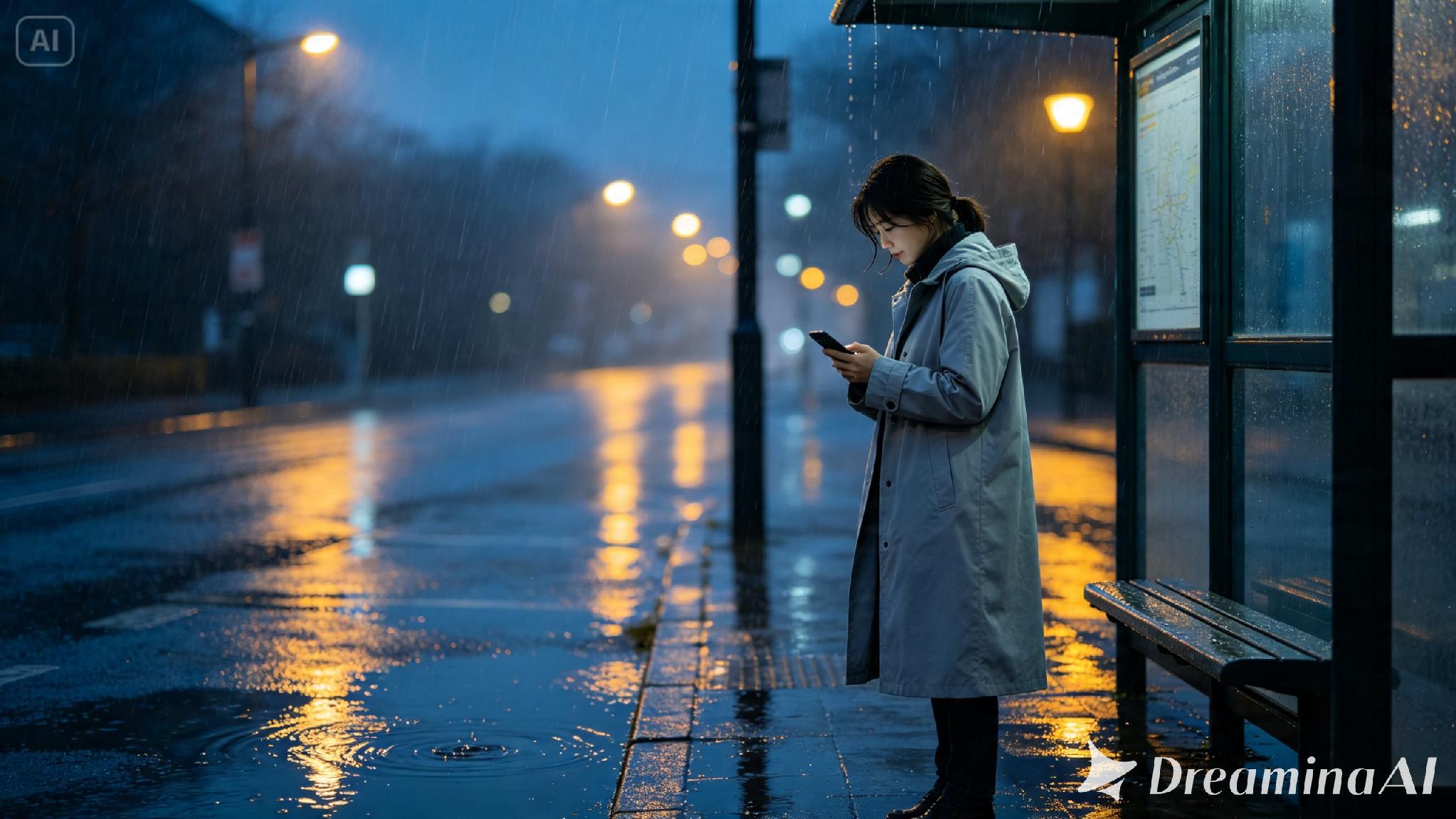
A short narrative lives or dies on its pacing, so resist the instinct to cram everything into the first few seconds. Let a quiet moment sit before the turn happens, and give the payoff room to land instead of cutting away too fast. A single sound, a phone buzzing, rain against a window, footsteps on a wooden floor, can carry more emotional weight than a full score layered underneath.
Where these narrative clips are already being used
These short story clips have moved well beyond personal creative projects. Brands use them to tell a customer story without a full commercial budget, nonprofits use them to communicate an impact story in under a minute, and independent creators build entire audiences around single, well-told moments rather than long-form content. A story that used to need a script, actors, and a crew can now start with a paragraph, and thanks to Seedance 2.5, it looks considered rather than rushed.
Turning a small story into something worth watching used to require far more than most people had access to. With Dreamina and the pacing-aware precision of Seedance 2.5, that one quiet moment you’ve been carrying around can become a finished clip before the day is over.