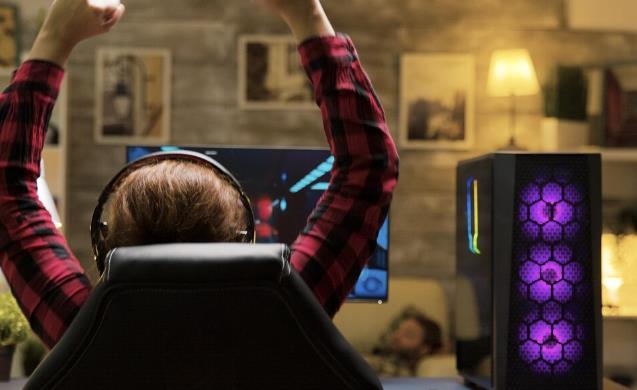
Choosing a desktop computer can feel complicated when manufacturers advertise processors, graphics cards, memory, storage, and countless other specifications. The bright side is, you do not need to know all the technicalities to make a savvy choice.
Whether it’s for gaming, studying, work, creating content, or any other type of everyday browsing, the right PC desktops should match your plans for the computer. There are some important factors and suggestions to keep in mind to prevent getting carried away, while ensuring that the system purchased will be of value for many years.
Start With How You’ll Use the PC
You don’t need the same hardware for a computer you’d use for playing games and making professional content as you’d for a computer used for browsing the web, office work, video calls, and schoolwork.
For those regularly editing videos, working with large files, playing intense games, and using specialized software, they would find better hardware more useful. If you’re looking to perform basic tasks, a mid-range system might be sufficient to handle your needs without extra costs.
Understand the Processor
The processor is responsible for performing a lot of the computer’s essential functions. Processors have different specifications, different numbers of cores, efficiency, and generation. The great thing about a newer mid-range CPU is that it can offer a better overall experience than an older high-end CPU.
Consider your responsibilities and the amount of time that you want to spend using the computer. Those running heavy workloads, or using more demanding applications, might want to spend more on a higher-performance processor, while a lower processor may be a better option for those who only require a modest processor.
Pay Attention to RAM and Storage
RAM helps manage currently open programs and tasks. 16GB is a good starting point for many users. Users with lighter workloads might require less, whereas creative users and those who multitask frequently will find greater memory to be helpful.
Another important thing to take into account is storage. When you’re comparing PC desktops, don’t simply look at the total amount of gigabytes; instead, consider the storage type or capacity.
Decide Whether You Need a Dedicated GPU
There are not many users who require a high-performance graphics card. If you’re browsing the web, using office software, streaming videos, and performing the everyday tasks you’d like to accomplish, integrated graphics just might be all you need.
But for gaming, 3D work, video production, and some creative uses, a dedicated GPU can be a huge advantage. If you are not going to employ software that takes advantage of a high-end graphics card, it may not be a wise investment to use the bulk of your budget on a high-end one.
Review Upgrade Options and Connectivity
The usefulness of a desktop does not only depend on what it had when it was bought. Check for the motherboard, memory slots, storage options, expansion slots, and interior space. These features will affect the ease with which the system can be upgraded in the future.
Ports matter too. Look to see if the computer has the USB, display, networking, audio, and other connections that you typically use. If you have accessories that are compatible with the system, you don’t need to purchase extra adapters and hubs.